PayCard Frequently Asked Questions
What is the PayCard?
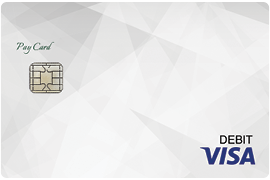
MSUFCU issues the PayCard in cooperation with your employer in order to electronically deposit your payroll or other funds on to the PayCard. The PayCard is a prepaid Visa Debit Card which can be used to make payments and purchases and to withdraw cash. The PayCard Agreement provides the terms and conditions of the PayCard.
How do I select to receive my payroll on a PayCard?
Your employer will inform you of the option to receive the PayCard at the time of payroll enrollment or through other means. Once you have elected the PayCard option or the notification period has passed then future payrolls may be deposited on your PayCard.
How do I get my PayCard?
Simply contact MSUFCU either at a branch or by calling 800-678-4968. We will ask you for your name, address, date of birth, Taxpayer Identification Number (TIN), and other information that will allow us to identify you. We may also ask for your driver's license information or other identifying documentation. Once the PayCard information has been obtained we can issue you a PayCard in person at an MSUFCU branch or mail you a PayCard to the address that you prefer.
How do I add money to my PayCard?
Your employer may electronically deposit your payroll or other funds to your PayCard. You may also add money electronically to your PayCard from other sources. Your PayCard number may be used in conjunction with MSUFCU's routing number (272479663) to originate an ACH transaction from other financial institutions.
How do I withdraw money from my PayCard?
You may withdraw money from your account by withdrawing cash at an ATM, requesting cash back at a point-of-sale terminal, or requesting a cash advance from a participating Visa branded financial institution. You may also withdraw money from any MSUFCU branch location.
How do I make payments and purchases with my PayCard?
You may use your PayCard to make purchases anywhere Visa is accepted. You may use your PIN, sign, or just swipe your PayCard to authorize the transaction, depending on the transaction type.
Cashier's checks are available by visiting or calling MSUFCU. Money orders are only available by visiting a MSUFCU branch. Cashier's checks are available for purchase for a $5.00 fee and money orders are available for purchase for a $3.00 fee.
You may also set up electronic withdrawals using your PayCard number at merchant bill payment sites and other financial institutions.
How do I obtain balance information for my PayCard?
Your current PayCard balance may be obtained by performing a balance inquiry at an ATM, visiting a branch, or logging into ComputerLine or our mobile app. You may also call MSUFCU during business hours at 517-333-2424 or 800-678-4968 or call MoneyLine anytime at 800-666-9546.
What fees are associated with the PayCard?
The PayCard Agreement provides a complete listing of all fees.
Are eAlerts offered with the PayCard?
eAlerts are available for free with the PayCard. You may manage your eAlerts through ComputerLine.
Are paper statements available for the PayCard?
You may select paper statements by contacting MSUFCU. There is a $2.00 per month fee for paper statements. Electronic statements (eStatements) are available with a valid email address. If a valid email address is not provided, an email notification will not be sent but you will still be able to access your eStatement within ComputerLine.
Are there limits on the transactions that I may perform with the PayCard?
In order to protect you and your funds there are daily limits on the PayCard. The limits are detailed in the PayCard Agreement.
What services are not offered with the PayCard and how do I receive those services?
The PayCard does not constitute a checking, savings, or other bank account and as such, certain services are not offered with the PayCard. The following services are not available with the PayCard: ACH origination, Bill Payment, cash deposits, check deposits, check writing, ComputerLine transfers, Shared Branching, and wire transfers. Other services may also be limited to qualifying accounts. Contact MSUFCU if you would like more information on any service we offer or to open an account.
What are my PayCard number and my base account number?
Your PayCard has two unique numbers that identify your PayCard; your PayCard number and your base account number. Your base account number is used to maintain continuity of service if your PayCard number is ever compromised. Your PayCard number will be printed on the front of your PayCard. Your base account number will be issued when you request your PayCard. Your PayCard number may be used in conjunction with MSUFCU's routing number (272479663) to originate ACH transactions from other financial institutions. Your base account number is used to access MoneyLine.
For Automated Clearing House (ACH) transactions, ATM transactions, and MoneyLine access, is the PayCard designated as the checking option?
Yes. Due to industry standards, the PayCard is designated as the checking option for both ACH and ATM transactions. MoneyLine also designates a PayCard as the checking option for ease of use. However, the PayCard does not constitute a checking account.

 Equal Housing Opportunity